The transition to Google Analytics 4 caused panic even among experienced marketers. A new interface, the absence of the usual "Bounce Rate" and complex event logic. But for a business owner, GA4 is a gold mine. In this longread, we explain in simple terms how to set up end-to-end analytics, implement e-commerce tracking, understand attribution models, and make Google's artificial intelligence predict which users will bring you money tomorrow.

You’re investing tens of thousands of dollars in advertising, SEO, and social media marketing, but you still don’t know which channel is bringing you your most valuable customers? If you’re using analytics just to look at the total number of visitors, you’re flying blind. Find out how Google Analytics 4 can predict user behavior, track every penny of ROI, and why incorrect event configuration is draining your marketing budget every day.
Blind Marketing: Why the Lack of In-Depth Website Analytics Is Killing Your Business
Imagine this scenario: an online store owner sees 100 sales per month in their CRM system. They spent $2,000 on Google Ads, $1,000 on Facebook targeting, and $500 on email marketing. Which source performed best? Where is the customer acquisition cost (CAC) lowest? Which campaign should be scaled up, and which should be shut down immediately?
Without professional website analytics, answering these questions becomes like reading tea leaves. Businesses continue to fund unprofitable ad campaigns simply because they generate “lots of cheap clicks,” while ignoring the channels that actually bring in real revenue.
By 2026, competition in the digital landscape has reached such a level that only companies with a data-driven approach will survive. And the main tool for building such a system is Google Analytics 4 (GA4)—the most powerful free platform for collecting, processing, and visualizing data about your users.
The Data Revolution: How GA4 Differs Radically from the Old Universal Analytics

If you’ve been using the previous version (Universal Analytics or UA) for years, your first encounter with the GA4 interface might come as a shock. The familiar reports are gone, the calculation logic has changed, and even the terminology has shifted. Why did Google take such a radical step?
The old UA was created at a time when the internet consisted exclusively of websites, and users primarily accessed the web from computers. Today’s user might see an ad in a mobile app, visit a website from a smartphone, add an item to their cart, and pay for it the next day from their work laptop. The old system couldn’t link these actions together. GA4 has solved this problem.
Events Instead of Sessions (Event-based Data Model)
The old UA was based on “Sessions” (visits) and “Page Views.” GA4 is based exclusively on Events. Absolutely everything a user does on a website is an event. A page view (page_view) is an event. A button click (click) is an event. Starting a video (video_start) or scrolling a page (scroll) are also events. This provides phenomenal flexibility in tracking complex funnels.
| Criterion | Universal Analytics (Old) | Google Analytics 4 (New) |
|---|---|---|
| Data Model | Based on sessions and page views. | Based exclusively on events and parameters. |
| Cross-platform | Separate website and separate app (Firebase). | The website and mobile app are combined into a single data stream. |
| Bounce Rate | The percentage of people who did not navigate to another page (even if they spent 10 minutes reading it). | Replaced with “Engagement Rate” — a more accurate metric of interest. |
| Machine Learning (AI) | Not available. Historical data only. | Built-in predictive audiences (predicting the likelihood of a purchase or customer churn). |
| Raw data export | Available only for the paid version of Analytics 360 (starting at $150k/year). | Free direct export to Google BigQuery for all accounts. |
How predictive metrics work (Artificial Intelligence in GA4)
GA4 isn’t just about past statistics; it’s a glimpse into the future of your business. Thanks to Google’s machine learning algorithms, the system can analyze the behavior of thousands of users and generate predictions (Predictive Analytics).
If your site generates enough traffic (at least 1,000 visitors over 28 days), GA4 automatically unlocks predictive audiences:
- Purchase Probability: The system predicts which visitors are most likely to make a purchase within the next 7 days. You can export this audience to Google Ads and increase your bids on them. This is guaranteed to boost your ROI.
- Churn Probability: A forecast that an active user will not return to your website or app within a week. A great opportunity to launch a retention email campaign with a discount for them.
- Predicted Revenue: The expected revenue from all of a buyer’s conversions over the next 28 days. This helps identify the “VIP customer” (whale) segment and target your marketing budget specifically at them.
GA4 Anatomy: An Overview of Key Reports for Business Owners
When you log into the dashboard, you’ll see a left-hand menu with sections. To avoid getting lost in the numbers, marketers and business owners need only master four key report blocks from the “Life Cycle” series.
1. Traffic Sources (Acquisition)
Where do your customers come from? This report is divided into “First User Medium” (the first source through which a person learned about you) and “Session Medium” (the source of a specific session). Here you can see the effectiveness of SEO (organic search), contextual advertising (CPC), social media (social), and email newsletters.
2. Engagement
What are people doing on the site? This section compiles data on page views, time spent on the site, and most importantly—Events and Conversions. Instead of the old “Bounce Rate,” you’ll now see “Engagement Rate.“ A session is considered engaged if the user stayed on the site for more than 10 seconds, viewed 2 or more pages, or completed a conversion event.
3. Monetization
The heart of analytics for e-commerce projects. This section shows real money: total revenue, revenue from online store purchases, and ad revenue (if you’re a publisher). Here you can see which products are purchased most often, which are added to the cart, and which are ignored. A detailed report on the “Customer Journey” (from product view to checkout) is also available.
4. Retention
Do your customers come back? The report shows the ratio of new users to returning users (New vs Returning), as well as cohort analysis (LTV), which allows you to assess your audience’s loyalty to your brand over time.
Explorations: Advanced website analytics without limits
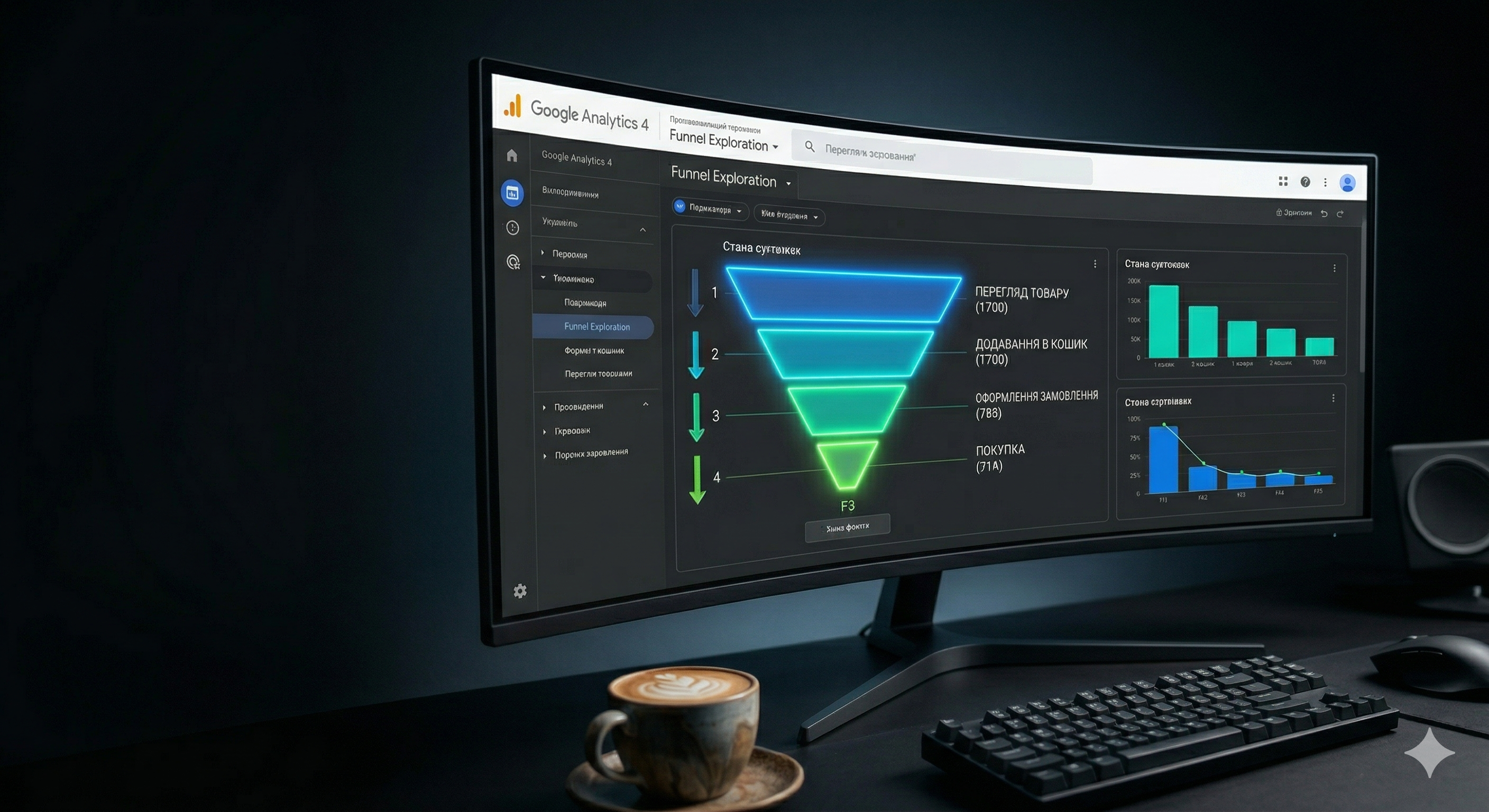
Standard GA4 reports provide a general overview, but that’s not enough for in-depth analysis. That’s why Google added the “Explore” section, which was previously available only in the paid version of Analytics 360. It’s a drag-and-drop report builder where you choose the variables, parameters, and metrics yourself.
The most useful exploration formats for marketers:
- Funnel Exploration: You can build any customer journey. For example: “Browse Catalog” → “Add to Cart” → “Proceed to Checkout” → “Successful Purchase.” The system will show you at which stage the most people drop off. If 80% of users leave at the credit card information entry stage, you have a problem with the UX design of your checkout form.
- Path Exploration: Displays a tree-like diagram showing exactly where people click after landing on a specific page, or conversely—the paths they took to reach the “Thank You for Your Order” page.
- Segment Overlap: Lets you see how different audiences overlap. For example, what percentage of mobile users came from paid ads and made a purchase.
Attribution Models in GA4: Who Actually Brought You the Customer?
This is the most important concept in analytics. Imagine the buyer’s journey: on Monday, they saw your ad on Instagram (clicked but didn’t buy). On Wednesday, they remembered you and typed your company name into Google (organic search). On Friday, they received a promo code via email and made a $500 purchase. Who should get the credit for this sale?
By default, older systems used the “Last Click” model. It would attribute 100% of the value ($500) to the email campaign, ignoring the fact that without the Instagram ad, the customer would never have heard of you. The business might have drawn the wrong conclusion: “Instagram doesn’t work, let’s turn it off.”
In GA4, Google introduced revolutionary data-driven attribution as the default model. Using machine learning, the algorithm analyzes all user paths (both those who purchased and those who didn’t) and distributes conversion value proportionally among all channels involved in the acquisition. For example: Instagram will receive 40% of the value, SEO — 20%, Email — 40%. This is the only way to allocate your marketing budget correctly.
E-commerce in GA4: A Technical Deep Dive
If you have an online store, the basic GA4 setup isn’t enough. You need to implement enhanced e-commerce. This is a technically complex process that cannot be completed without the involvement of a qualified programmer and a web analytics specialist.
For GA4 to understand which product was purchased, in what color, at what price, and from which category, a special data layer—the dataLayer—must be created on your website. This is an array of JavaScript code invisible to the user that collects information about products.

Key e-commerce events we implement for clients:
view_item_list— The user viewed a list of products (category).view_item— The user visited a specific product page.add_to_cart— Clicked the “Buy” button (the system records the product ID, price, and currency).remove_from_cart— removed a product from the cart.begin_checkout— Proceeded to checkout.add_shipping_info/add_payment_info— Selection of delivery and payment methods.purchase— The most important event: a successful transaction. It transmits the Transaction ID, tax amount, shipping cost, and an array of all purchased products.
A properly configured e-commerce system allows you to see the exact ROI (return on investment) for every blog post, every advertising campaign, and even every button on the website.
Google Tag Manager (GTM): GA4’s Main Ally
We never recommend hardcoding the GA4 code directly into the website’s source code. Professional web analytics is implemented exclusively through Google Tag Manager (GTM).
GTM is a container that is installed on the website once. After that, a marketer or analyst can independently (without involving programmers) add any analytics systems to the website: GA4 tags, Meta Pixel (Facebook), TikTok Pixel, heatmap scripts (Hotjar), or chat widgets.
Additionally, GTM allows you to configure complex triggers: send an event to GA4 only when a user has scrolled 75% of the page, stayed on it for 30 seconds, and clicked on a specific phone number. This ensures data integrity and protects against spam clicks.
Google Ecosystem: Integrating GA4 with Other Tools
GA4 reaches its full potential only when it works in synergy with other products in the Google Cloud ecosystem.
Connection with Google Ads
This integration allows you to view cost-per-click (CPC) data and ad campaigns directly within GA4 reports. But the main value lies in the two-way exchange. You can create a highly complex audience in GA4 (for example, “People who added an item to their cart but didn’t buy it, and watched a video on the site for more than 1 minute”) and instantly export it to Google Ads for remarketing.
Export to Google BigQuery: Own Your Data
In GA4, the standard data retention period for detailed user data is limited to 14 months. To avoid losing your history, it’s critical to set up free raw data export to BigQuery (Google’s cloud database storage) from day one. Here, you can store terabytes of information indefinitely, combine it with data from your CRM (to view canceled orders), and build complex SQL queries.
Visualization in Looker Studio (formerly Data Studio)

Business owners don’t like digging through complex GA4 tables. They want to see beautiful, easy-to-understand dashboards (monitoring panels) that display key KPIs in real time: Ad Spend, Revenue, Cost Per Acquisition (CPA), and ROAS. FullPage.agency analysts design personalized dashboards in Looker Studio that combine data from GA4, Google Ads, Facebook Ads, and your CRM on a single screen.
Why you absolutely should not set up GA4 on your own
There are countless video tutorials online titled “How to Set Up GA4 in 5 Minutes.” Following them, business owners paste the basic code onto their website and rejoice when they see the first visitors on the graph. But this illusion of control comes at a very high cost.
Here are the 5 most common fatal mistakes made during DIY setup that we encounter during audits:
- Internal traffic is not filtered out. You, your employees, managers, and developers visit the site every day. If their IP addresses are not excluded in the data stream settings, your conversion rate will be artificially low, and the data will be distorted.
- Double-counting of transactions. If a user refreshes the “Thank You for Your Order” page (or bookmarks it and returns a week later), the standard code will send the event
purchasea second time. Revenue in reports will double, and you’ll make a wrong decision about ad profitability. We solve this by blocking the resending of the Transaction ID. - Loss of UTM tags during cross-domain transitions (Cross-domain tracking). If your landing page is on one domain (landing.com) and payment occurs on a subdomain (pay.landing.com), without setting up cross-domain tracking, the session will be lost, and the purchase source will be listed as “Referral” (a visit from your own site). The true source of traffic will be lost forever.
- Lack of Google Signals. If the Google Signals feature is not enabled, you lose the ability to track cross-device users (those who visited from a phone but made a purchase from a computer) and cannot collect accurate demographic data (age, gender, interests).
- Using the wrong currency or time zone. If the website targets the European market but the settings are configured for the Ukrainian hryvnia and the Kyiv time zone, your financial reports will diverge from actual accounting due to constant exchange rate fluctuations and time lags in conversions relative to ad reports.
FullPage.agency’s Expert Approach: From Chaos to Data-Driven Marketing
Implementing a robust analytics system requires the collaboration of a certified web analyst and an experienced programmer. At FullPage.agency, we don’t just “install counters.” We design the data architecture for your business.
Our approach includes:
- Creating a detailed metrics matrix (Measurement Plan) — we define micro- and macro-conversions specifically for your niche.
- Implementing Google Tag Manager, configuring the dataLayer for e-commerce, and testing each event in GTM Preview mode.
- Integrating GA4 with Google Ads and configuring cost imports from other advertising platforms (Facebook, TikTok).
- Enabling the Measurement Protocol to track offline conversions (for example, when a deal is successfully closed by your manager in the CRM a month after the lead is generated).
- Developing management dashboards (Looker Studio) for company leadership.
Does the data in your analytics not match your CRM system?
Up to 70% of companies face issues with duplicate conversions, lost transactions, or “broken” traffic sources where all purchases are recorded as Direct. If you’re making business decisions based on distorted data, you’re losing money. Order a free audit of your Google Analytics 4 from the certified experts at FullPage.agency.
Get a professional website analytics audit
Read more about how we at FullPage build processes in our A-to-Z Website Creation Guide.